Artificial intelligence is everywhere these days. But what exactly is ChatGPT, how does it work, and why are so many people talking about it?
If you’ve heard friends mention ChatGPT, seen it discussed in the news, or wondered whether artificial intelligence might actually be useful in your everyday life, you’re not alone.
The good news is that you don’t need to understand computer programming, complicated technology, or how artificial intelligence is built to start using it.
In this guide, we’ll explore what ChatGPT is, how it works, what it can help you accomplish, and how it compares with other popular AI assistants.
Most importantly, we’ll look at how you can put these tools to work in your own life.
First, What Exactly Is ChatGPT?
ChatGPT is an artificial intelligence tool created by a company called OpenAI.
At its simplest, ChatGPT is a computer-based assistant you can communicate with using everyday language.
Instead of searching through websites or learning complicated commands, you can simply type a question or request, much like sending a text message.
For example, you might ask:
- “Can you suggest three easy dinners using chicken, rice, and vegetables?”
- “Explain how solar panels work in simple terms.”
- “Help me write a friendly thank-you note.”
- “I’m planning a trip to Maine. What are some interesting places to visit?”
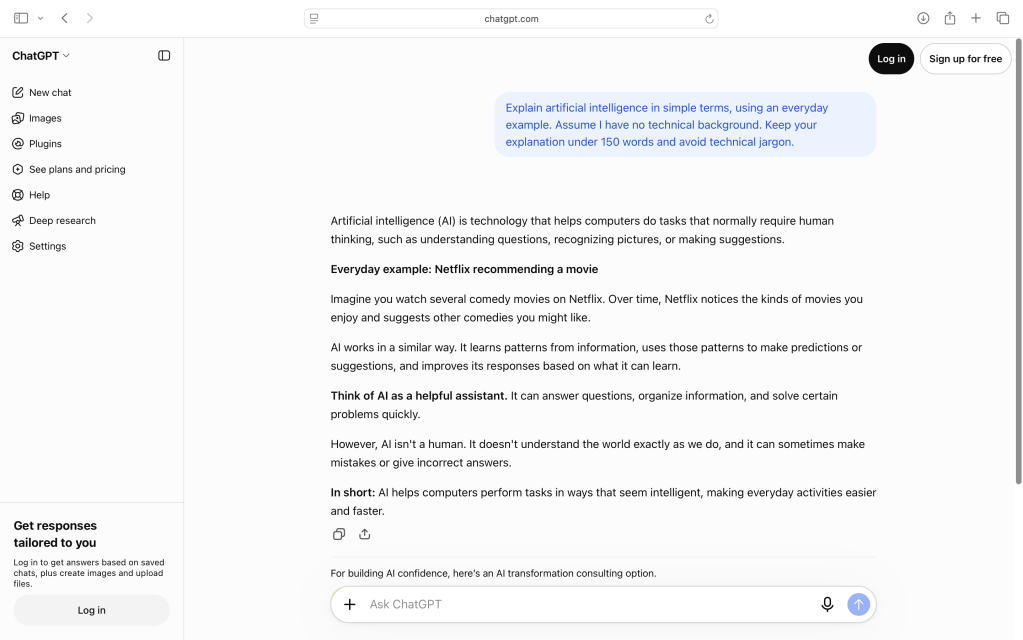
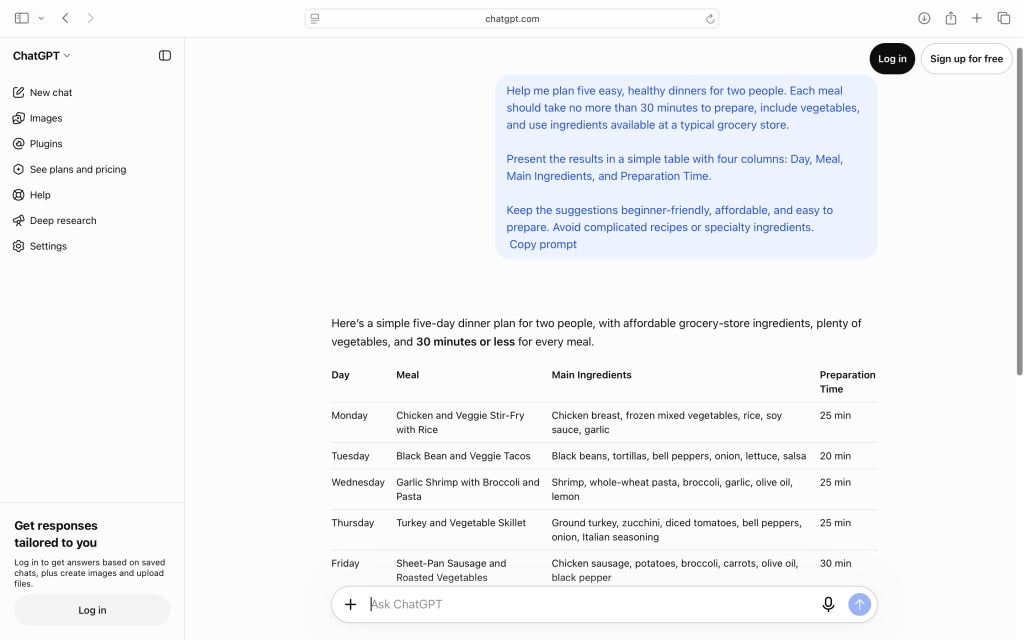
Example of a simple ChatGPT conversation. A question about available ingredients becomes practical dinner ideas.
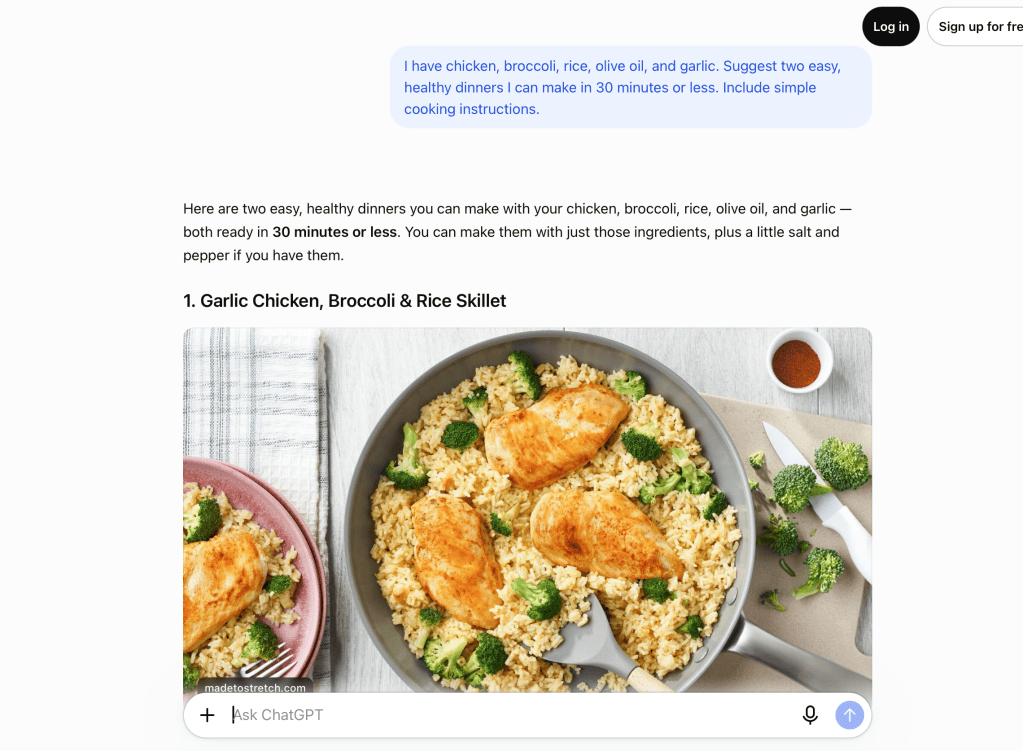
ChatGPT responds with information, suggestions, explanations, or creative ideas based on your request.
And unlike many traditional computer programs, you can continue the conversation.
If you don’t like the first answer, you can ask it to try again, explain something differently, or provide more detail.
That’s one of the things that makes ChatGPT so approachable.
How Does ChatGPT Work?
Here’s a simple way to think about it.
Imagine a computer system that has learned patterns from an enormous amount of information, including books, articles, websites, and other text.
Through training, it learns how words, ideas, and concepts relate to one another.
When you ask ChatGPT a question, it uses those learned patterns and the context of your conversation to generate a response.
The technology behind this is called a large language model, or LLM.
You don’t need to remember that term. What’s important is understanding what the technology does.
ChatGPT generates responses based on patterns it has learned. It doesn’t understand the world in exactly the way a person does.
That distinction matters.
ChatGPT can produce a convincing explanation, but it can also make mistakes. Sometimes it provides information that sounds correct even when it isn’t.
We’ll discuss how to handle that in a moment.
Is ChatGPT the Same as Google?
Not quite.
A traditional search engine helps you find websites and other sources of information.
ChatGPT is designed to help you work with information through a conversation.
Consider this example.
Using a search engine:
You search for “best vegetables to grow in containers.”
You receive links to gardening websites, articles, and videos. You then review the information and decide what applies to your situation.
Using ChatGPT:
You might ask:
“I’m new to gardening. I have a small patio that receives about six hours of sunlight. What five vegetables would be easiest to grow in containers, and what supplies would I need?”
ChatGPT can organize its answer around your specific circumstances.
You could then follow up with:
“Which of those vegetables would work best in a 12-inch pot?”
Or:
“Can you create a simple shopping list for getting started?”
ChatGPT can help turn a general question into a practical plan.
Some versions of ChatGPT can also search the web and provide links to sources. However, you should still check important facts, especially information that changes frequently.
The key difference: A search engine primarily helps you find information. ChatGPT helps you discuss, organize, explain, and use information.
What About Other AI Assistants?
ChatGPT may be one of the best-known AI tools, but it’s certainly not the only one.
Several companies have developed their own AI assistants using large language models. They work in similar ways: you ask questions, give instructions, or describe a task, and the AI generates a response.
However, different assistants have different strengths. Some are especially useful for writing and learning, while others focus on online research or working with familiar software.
Here are four popular alternatives worth knowing about.
Google Gemini
Website: gemini.google.com
Google Gemini is an AI assistant developed by Google. Like ChatGPT, it can answer questions, explain topics, generate ideas, and help with writing.
One of its biggest attractions is its connection to Google’s other products, including Gmail, Google Drive, and Google Maps.
Pros
- Familiar option for people who already use Google products.
- Can help with writing, planning, learning, and organizing information.
- Supports conversations involving text, images, and voice.
- Offers free access to basic capabilities.
Cons
- Some integrations and advanced capabilities require specific subscriptions or settings.
- Its many features can initially feel overwhelming.
- Like other AI assistants, it can generate inaccurate information.
Best for: People who regularly use Google services and want AI assistance alongside familiar tools.
Claude by Anthropic
Website: claude.ai
Claude is an AI assistant developed by Anthropic. It can help with writing, summarizing documents, analyzing information, and exploring complicated subjects.
It’s a particularly interesting option for people who want to work through ideas or improve longer pieces of writing.
Pros
- Useful for drafting, editing, and refining written content.
- Can help explain complicated subjects in accessible language.
- Supports document analysis and extended conversations.
- Offers tools for creating interactive content and organizing projects.
Cons
- Free usage limits can interrupt longer sessions.
- Some advanced features require a paid subscription.
- Responses still need to be checked for accuracy.
Best for: Writing, working with documents, learning, and exploring ideas in depth.
Microsoft Copilot
Website: copilot.microsoft.com
Microsoft Copilot is Microsoft’s AI assistant. It can answer questions, help with writing, and support everyday tasks.
Copilot is also available within certain Microsoft 365 applications, including Word, Excel, PowerPoint, and Outlook.
Pros
- Familiar environment for people who already use Microsoft products.
- Can help draft documents, summarize information, and generate ideas.
- Microsoft 365 integrations can make everyday office tasks easier.
- A general-purpose Copilot experience is available without purchasing the full Microsoft 365 Copilot offering.
Cons
- Features vary depending on the application and subscription.
- The different Copilot products and plans can be confusing.
- Some of its most useful workplace capabilities require paid access.
Best for: People who frequently use Windows, Microsoft Office, or Microsoft 365.
Perplexity
Website: perplexity.ai
Perplexity is a little different from the other assistants on this list.
Rather than focusing primarily on conversation and content creation, Perplexity emphasizes finding information from the web and presenting answers with links to supporting sources.
It’s particularly useful when you’re researching a topic and want to see where the information came from.
Pros
- Designed around web research and finding current information.
- Provides links to sources so you can investigate further.
- Useful for comparing products, exploring topics, and gathering background information.
- Offers a free version for basic research.
Cons
- Sources aren’t automatically reliable simply because they’re cited.
- Less focused on creative collaboration than some general-purpose assistants.
- Advanced research capabilities and higher usage limits may require a subscription.
Best for: Researching topics, exploring current information, and finding sources to verify claims.
Which AI Assistant Should You Choose?
There’s no single AI assistant that’s best for everyone.
A good starting point is to consider what you’d like help with most.
| If you want to… | Consider trying… |
|---|---|
| Learn AI basics and explore everyday uses | ChatGPT |
| Work with Google apps and services | Google Gemini |
| Write, edit, and understand documents | Claude |
| Get help within Microsoft applications | Microsoft Copilot |
| Research topics and find supporting sources | Perplexity |
These are starting points, not strict rules. All five tools have overlapping capabilities, and their features continue to evolve.
Our recommendation for beginners: Start with one AI assistant and get comfortable using it before exploring alternatives.
ChatGPT is a good place to begin because it’s versatile and offers an approachable conversational experience. But once you’ve learned the basics, try asking the same question in another assistant.
Compare the responses. Which explanation was clearer? Which tool was easier to use? Which gave you the most practical answer?
You may discover that different tools work better for different tasks.
And remember: regardless of which assistant you choose, the same principles apply. Be specific about what you need, protect sensitive information, and verify important facts.
Five Everyday Things ChatGPT Can Help You Do
You don’t need a complicated project to benefit from AI. Some of the most useful applications are surprisingly ordinary.
1. Plan Meals and Make Shopping Lists
Have ingredients in your refrigerator but no idea what to cook?
Try asking:
“I have salmon, broccoli, potatoes, olive oil, and lemons. Suggest two healthy dinners I can make in 30 minutes or less.”
You can ask ChatGPT to adjust recipes for different serving sizes, suggest substitutions, or organize ingredients into a shopping list.
2. Learn Something New
ChatGPT can explain unfamiliar subjects at different levels of complexity.
For example:
“Explain how a home Wi-Fi network works as if I’m completely new to the subject. Avoid technical jargon.”
If something still doesn’t make sense, just ask:
“Can you explain that using an everyday example?”
This ability to ask follow-up questions makes ChatGPT particularly useful as a learning companion.
3. Help With Writing
Whether you’re drafting an email, preparing a letter, or writing a birthday message, ChatGPT can help you find the right words.
Try:
“Help me write a warm, friendly thank-you note to neighbors who watched our dog while we were away. Keep it short and natural.”
You can also ask it to make something more formal, more casual, shorter, or easier to understand.
The final message should still sound like you.
4. Explore Hobbies and Creative Interests
ChatGPT can help you get more enjoyment out of activities you already love.
For example:
- Photography: “Suggest five creative photography projects I can try in my backyard.”
- Music: “Explain the difference between major and minor chords for a beginning guitarist.”
- Gardening: “Help me design a small garden that attracts butterflies and native bees.”
- Cooking: “Suggest three ways to make a basic pasta dinner more interesting.”
Think of it as a source of ideas and explanations rather than a replacement for your own creativity.
5. Organize Plans and Projects
ChatGPT can turn a vague idea into a manageable series of steps.
For example:
“I want to organize my garage over the next three weekends. Create a realistic plan with tasks for each weekend.”
You can ask it to simplify the plan, adjust the schedule, or create a checklist.
This is especially useful when you know what you want to accomplish but aren’t sure where to begin.
What ChatGPT Cannot Reliably Do
ChatGPT can be impressive, but it’s important to understand its limitations.
It Can Make Mistakes
ChatGPT sometimes generates inaccurate information, invented references, or incorrect explanations.
This is often called an AI hallucination.
The term sounds unusual, but the idea is simple: the AI can confidently give an answer that isn’t true.
For example, it might provide an incorrect historical date, recommend a business that has closed, or describe a feature that a product doesn’t actually have.
Always verify important information using trustworthy sources.
It Doesn’t Automatically Know Everything Happening Right Now
Depending on the version and features you’re using, ChatGPT may be able to search the internet for current information.
But not every answer is based on a live search.
For changing information such as prices, travel schedules, weather, product availability, or recent news, ask for current sources and check them yourself.
It Isn’t a Substitute for Professional Advice
ChatGPT can help explain general medical, financial, or legal concepts.
However, it shouldn’t replace a qualified professional when you’re making important decisions about your health, finances, or legal affairs.
Use it to prepare questions, understand terminology, and become better informed—not as the final authority.
It Doesn’t Always Understand Your Intent
Sometimes ChatGPT answers a different question from the one you intended to ask.
Fortunately, you can correct it.
Simply say:
“That’s not quite what I meant. I’m looking for something simpler.”
Or:
“Please focus on practical steps rather than background information.”
You don’t have to start over every time.
Is ChatGPT Safe to Use?
ChatGPT can be useful, but a few sensible precautions will help protect your privacy.
Avoid entering sensitive personal information, including passwords, Social Security numbers, banking details, or confidential medical records.
Be thoughtful about sharing information involving other people, too.
Also remember that AI-generated content isn’t automatically private or confidential. Review the privacy and data settings of any AI service you use, particularly before uploading documents or personal information.
For everyday tasks like brainstorming dinner ideas, explaining a hobby, or organizing a home project, you can usually get excellent results without sharing sensitive details.
A good rule is to share only the information necessary to complete the task.
Do You Have to Pay for ChatGPT?
No. ChatGPT offers a free version, and that’s a perfectly reasonable place for beginners to start.
Paid subscriptions offer additional capabilities or higher usage limits, but you don’t need a paid plan to learn the basics.
Features, limits, and subscription options can change, so check the official ChatGPT website for current details.
You can get started at chatgpt.com.
The Most Important Skill: Learning How to Ask
One of the biggest misconceptions about AI is that you need special technical skills to use it effectively.
In reality, getting better results often comes down to explaining what you want.
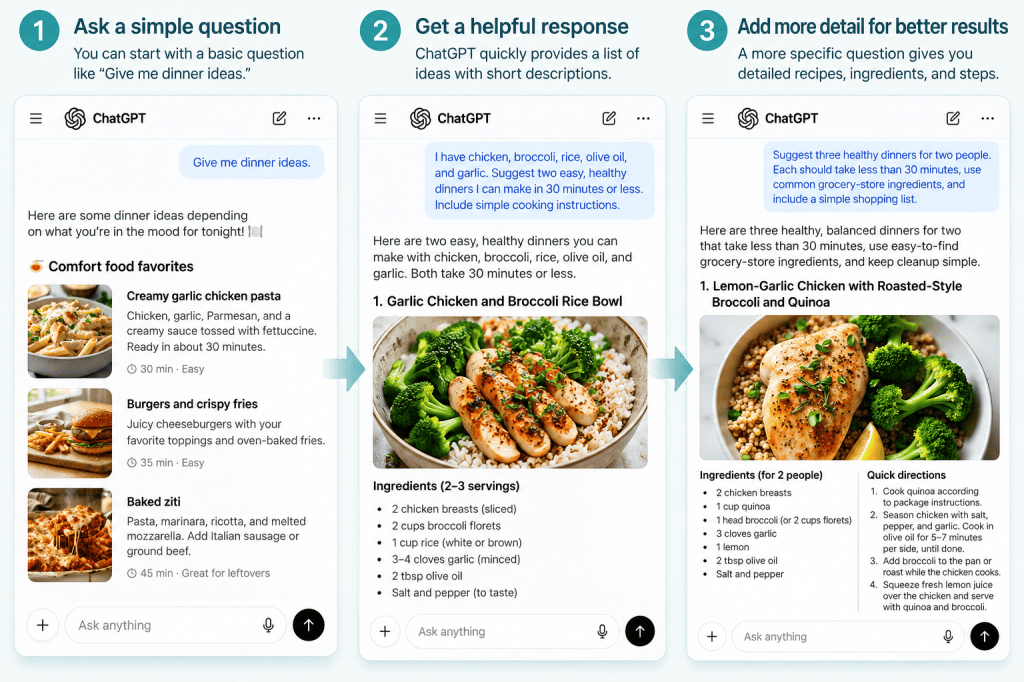
Compare these two requests.
Basic request:
“Give me dinner ideas.”
More useful request:
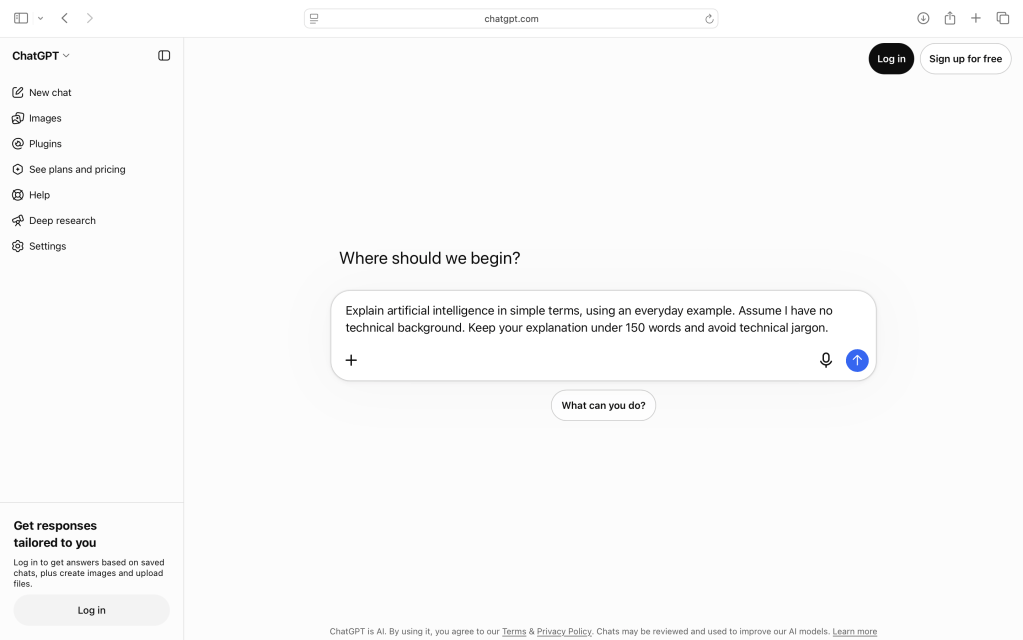
“Suggest three healthy dinners for two people. Each should take less than 30 minutes, use common grocery-store ingredients, and include a simple shopping list.”
The second request provides more context, so ChatGPT has a better chance of producing something useful.
And remember: your first question doesn’t need to be perfect.
You can improve the result by continuing the conversation.
Try phrases like:
- “Make that simpler.”
- “Give me an example.”
- “Explain why you recommended that.”
- “What information would help you give me a better answer?”
- “Can you organize that into a checklist?”
These small follow-up questions can make a big difference.
From a simple question to a detailed answer: Giving ChatGPT more context enables it to produce better results
Ready to Try It Yourself?
Here’s a simple exercise you can complete in just a few minutes.
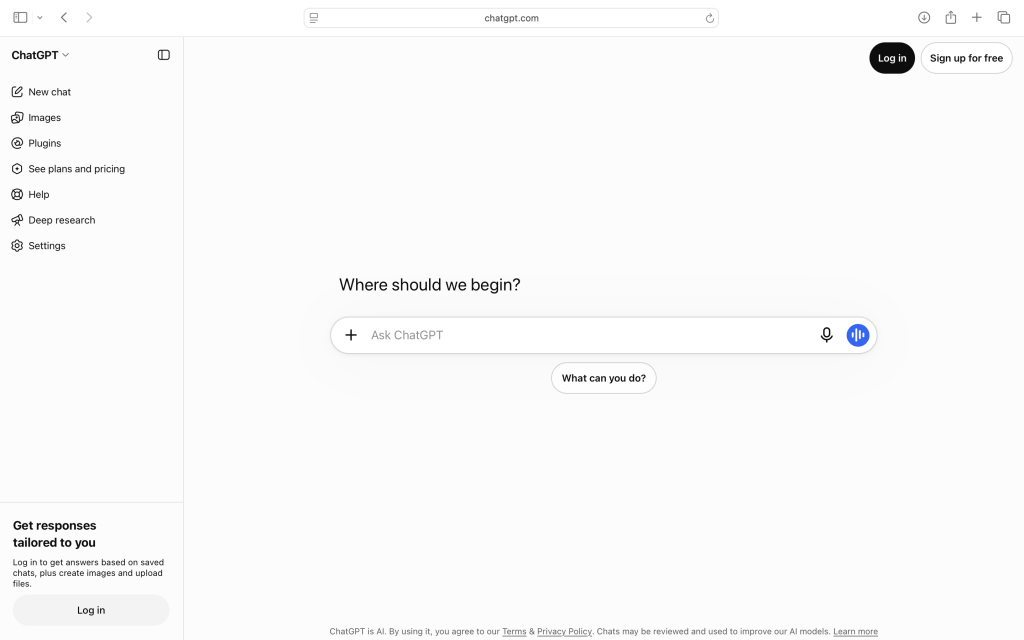
Step 1: Open chatgpt.com.
Step 2: Start a conversation using the message box.
Step 3: Type this request:
“Suggest five practical ways someone new to ChatGPT could use it in everyday life. For each idea, give me an example question I could ask.”
Step 4: Read the suggestions and choose one that interests you.
Step 5: Ask a follow-up question to make the idea more specific to your needs.
That’s it.
You’ve started using AI to explore ideas, ask questions, and solve practical problems.
Final Thoughts: You Don’t Need to Be a Technology Expert
Artificial intelligence may be changing quickly, but learning to use tools like ChatGPT doesn’t have to be intimidating.
You don’t need to understand how every part of the technology works.
You just need a little curiosity, a willingness to experiment, and the habit of checking information when accuracy matters.
Start with something small. Ask a question. Try a follow-up. See what happens.
The more you experiment, the easier it becomes to recognize where AI can genuinely help.
Technology changes. Curiosity doesn’t.
Keep Learning With Promptly Practical
Ready for a hands-on introduction? Read our beginner-friendly guide, Your First 15 Minutes With ChatGPT: A Beginner’s Step-by-Step Guide, and follow along with your first AI conversation.